Run a contest.
Or go hunt one.
Registration, team approval, video verification, weigh-ins, side pots, and scoring — handled. Here is the whole thing, start to finish.
New
8 PM means 8 PM.
Everywhere.
A normal contest runs on one shared clock. Start it at 8 PM Eastern and a hunter in California starts at 5 PM — often before they are off work, and losing the back end of the night when the hunting is best.
Flip on local time and every team hunts the same hours on its own clock. Same window, same prime hours, wherever they are.
Each team gets the full window on its own clock, so eastern teams start and finish first. Registration and results stay shared.
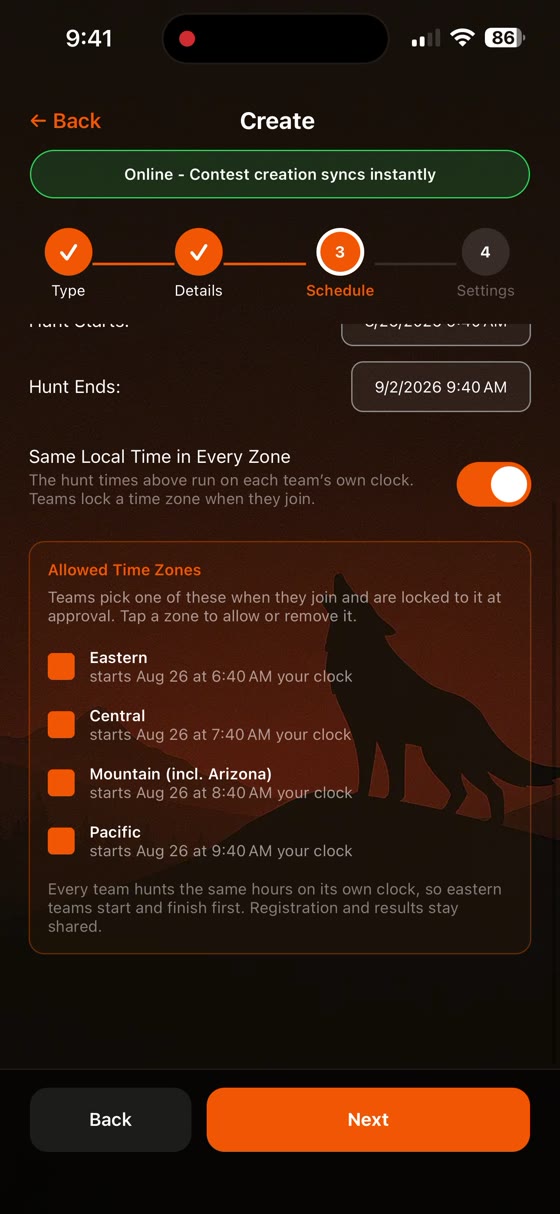
Hosts see when each zone opens on their own clock before publishing.
Hunting a contest
Room code to final results.
Get the room code from your host
Every contest has a six-character room code. Your host hands it out however they like -- a flyer, a text, a Facebook group. Open Fur Ledger, go to Contests, and tap Join.
Found the contest on the public Browse list? Room codes are never posted publicly. Use the host's contact details on the listing and they will get you registered.
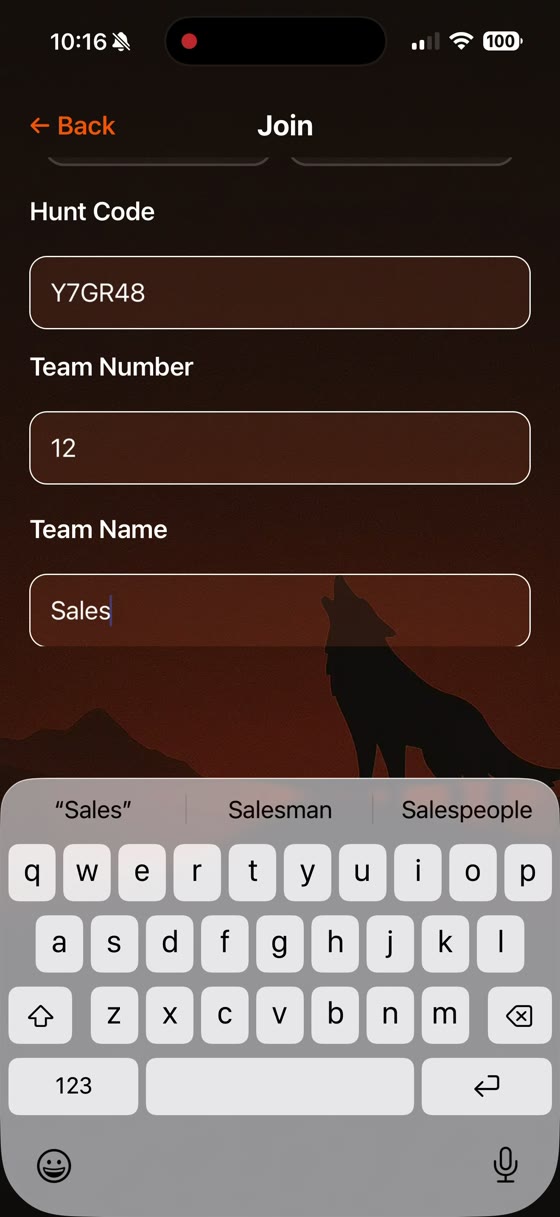
Enter your team number and team name
Your team number comes from your registration packet, so use the one your host assigned you. The team name is yours to pick. If you enter a number someone already took, the app will tell you.
Picked the wrong number? Your contest admin can correct it after the fact -- you do not need to re-register.
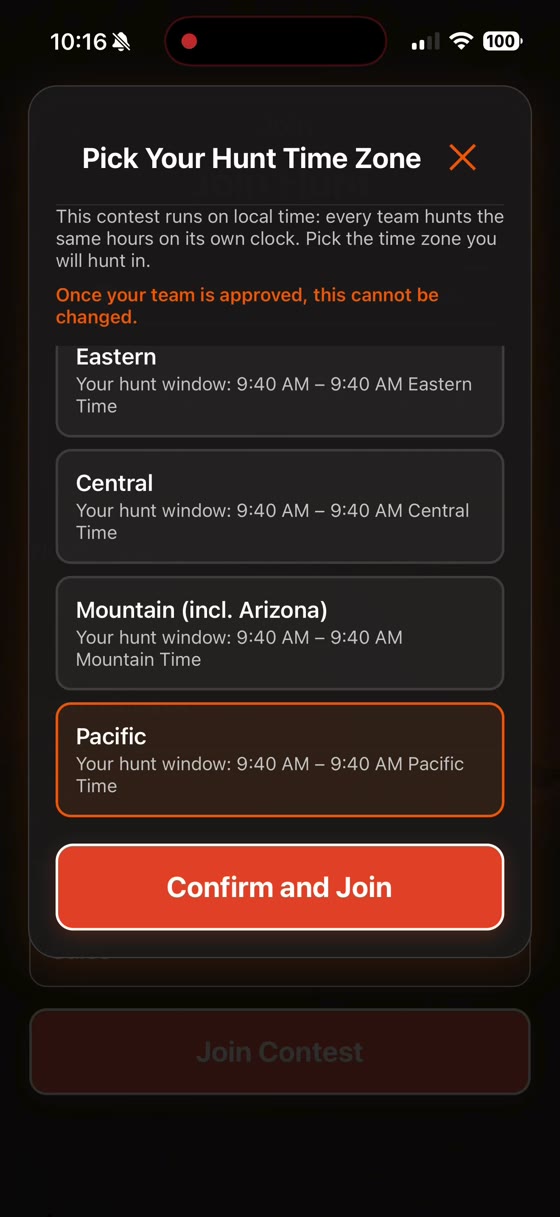
Pick your hunt time zone (local-time contests only)
Some virtual contests run on local time, meaning every team hunts the same hours on its own clock. If yours does, you will be asked to choose Eastern, Central, Mountain, or Pacific before you can finish joining. The screen shows you exactly what window you are choosing.
This locks permanently once your team is approved. Pick the zone you will actually be hunting in.
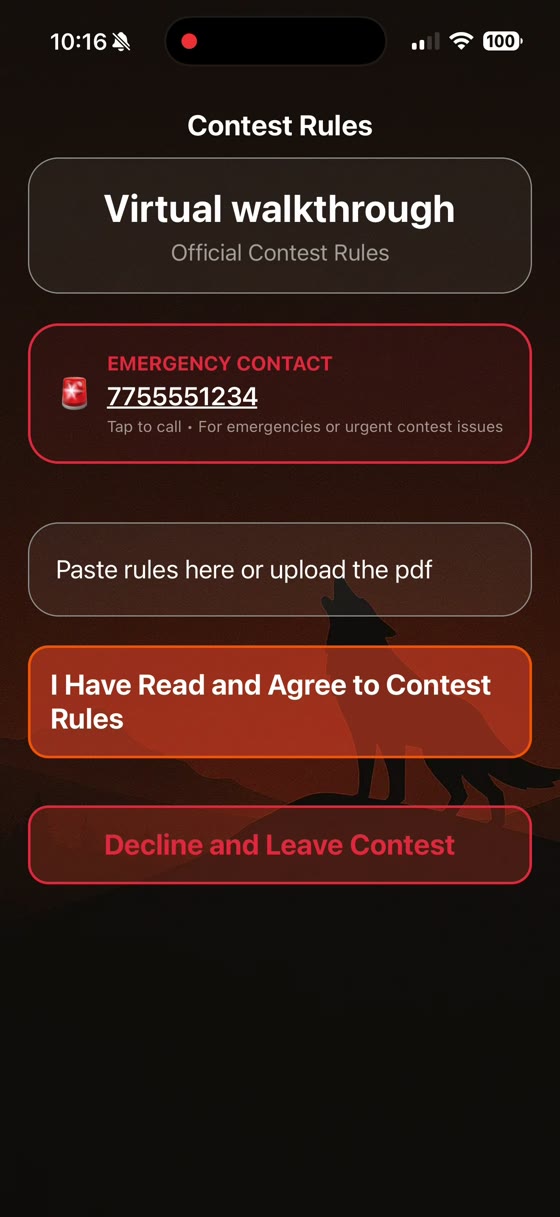
Agree to the rules
The moment you join, the contest rules come up -- you cannot get into your team dashboard until the captain accepts them. Declining leaves the contest. If the host edits the rules later, captains are asked to agree again, so nobody is ever competing under a version they never saw.
Wait for approval
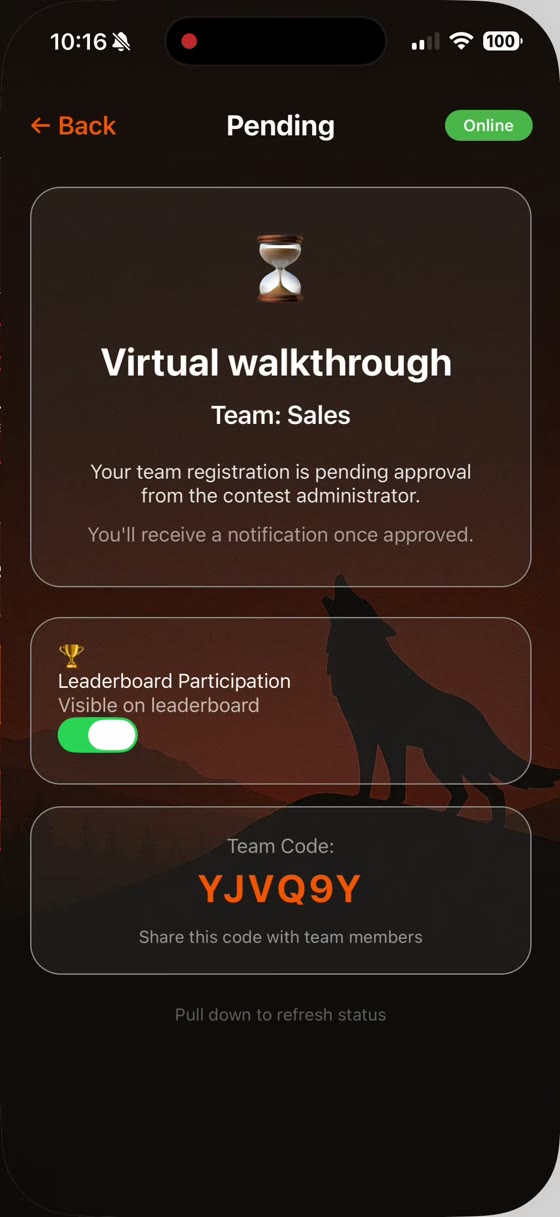
Your team sits as Pending until the contest admin reviews registrations and approves them. You will get a push notification when you are approved -- or if something needs fixing.
Add your teammates
Your team has its own six-character team code -- visible on that pending screen from the start. Share it with your hunting partners. They open the app, tap Join, choose "Join a team," and enter that code. They do not need the hunt code or a team number.
Watch for the hunt to open
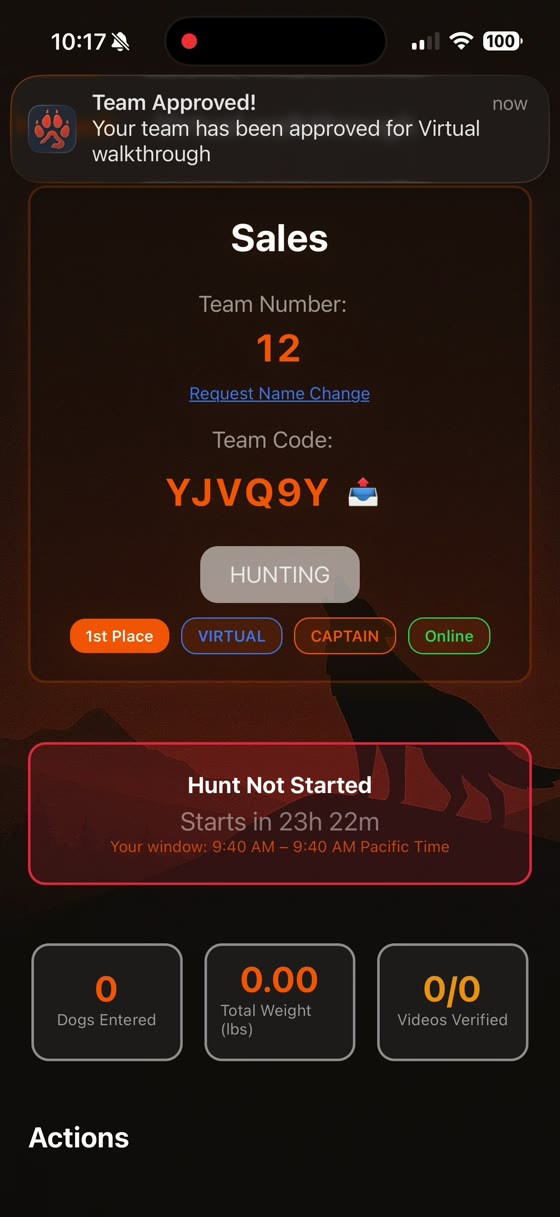
Once you are approved, your dashboard shows a countdown to the start along with your team number, team code and status. On a local-time contest it also shows your own hunt window, in your locked zone.
Hunt, and log each animal
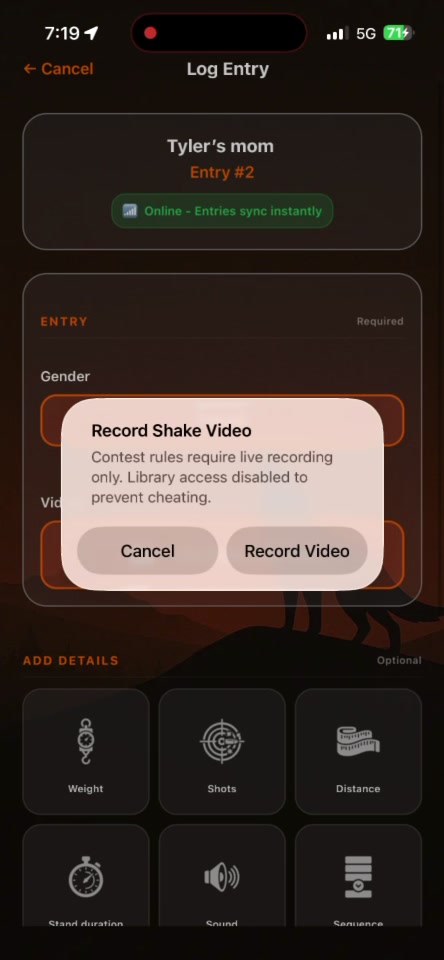
When the hunt window opens, the Log Entry button goes live. Each entry records the animal and, for video contests, a verification video. Submissions upload in the background -- you do not have to sit and watch a progress bar.
Watch for the secret code. Many hosts broadcast a word or phrase partway through the night that must appear in your videos. It proves the animal was taken during the contest.
Check in and weigh in (in-person contests)
When you are done hunting, you check in at the weigh-in station -- your host or a check-in assistant scans your team QR code, or types your check-in code. Checking in is what puts you in the weigh-in queue, and you get a push notification when you are on deck. An official records each weight, you verify the numbers, and then they are certified. Virtual contests skip all of this: your videos are the verification.
Watch the leaderboard and results
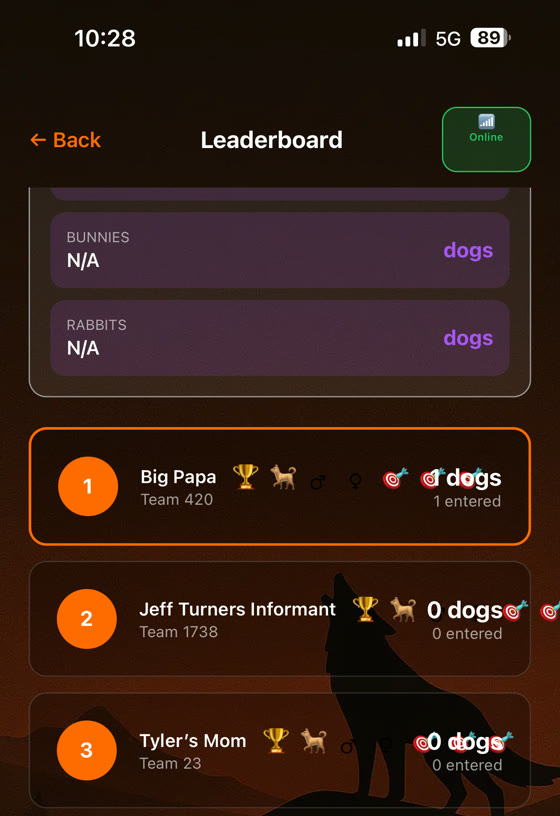
The leaderboard updates as entries come in and get verified. When the host publishes final results, everyone sees them at the same moment. Results stay readable for 24 hours after publishing.
Want to stay off the public board? In-person contests let the captain opt out any time before results are published -- you still compete, you are just not ranked. Virtual contests cannot opt out: the leaderboard is mandatory, and you confirm you understand that when you join.
Still stuck?
The FAQ covers the app in general. For a specific contest, your host is the fastest answer — they can message you right in the app.